
![Calendly vs Doodle: Features, Pricing & Best Choice [2026]](/_next/image?url=https%3A%2F%2F9o35pfb794m7wppw.public.blob.vercel-storage.com%2Fassets%2Fblog%2Fcalendly-vs-doodle-comparing-the-2-scheduling-apps%2Fcover.ddb3437764af.png&w=3840&q=75)
Calendly and Doodle are 2 of the most recognizable names in online scheduling. But if you’re comparing tools, you’re probably asking the real question: “Calendly vs. Doodle: which one is actually better?”
Calendly built its reputation on polished one-on-one scheduling. It’s a favorite among consultants, sales teams, and professionals who want branded booking pages, strong integrations, and automation that reduces back-and-forth emails.
Doodle took a different approach. Instead of focusing on individual booking links, it became known for simple, collaborative group polling. It’s the go-to tool when you need to coordinate multiple people quickly and find a time that works for everyone.
In this guide, we’ll compare Calendly and Doodle head-to-head, looking at features, integrations, pricing, ease of use, and ideal use cases. Then we’ll show you why Cal.com might be the more flexible and future-ready choice for modern teams that want scheduling to be more than just a calendar link.
Calendly vs Doodle: A Brief Overview
| Feature | Calendly | Doodle |
| Primary Focus | One-on-one scheduling & professional booking pages | Group polling & collaborative scheduling |
| Best For | Consultants, sales teams, recruiters, client-facing professionals | Teams, clubs, community groups, internal meetings |
| Booking Style | Share a personal booking link | Create a poll and let participants vote |
| Group Scheduling | Yes (via group events feature) | Yes (core strength) |
| Branding & Customization | Strong branding options on paid plans | Custom branding on paid plans |
| Calendar Integrations | Google Calendar, Outlook, Office 365, Exchange | Google Calendar, Outlook, Office 365, iCal |
| CRM Integrations | Native integrations with Salesforce, HubSpot (paid tiers) | No native CRM integrations |
| Automation | Automated reminders, workflows, routing forms | Basic notifications and reminders |
| Video Conferencing Integrations | Zoom, Google Meet, Microsoft Teams | Zoom, Google Meet |
| Payment Processing | Stripe and PayPal integrations | Not natively supported |
| Mobile Experience | Full-featured mobile app | Mobile-friendly web experience |
| Free Plan | Unlimited 1:1 meetings | Unlimited polls (ads included) |
| Paid Plans Start At | ~$10 per seat/month | ~$6.95 per user/month |
| Enterprise Features | SSO, admin controls, analytics | Team dashboards, admin tools |
| Learning Curve | Slightly higher due to advanced features | Very low – extremely simple interface |
Calendly Pricing, Features, Pros, and Cons
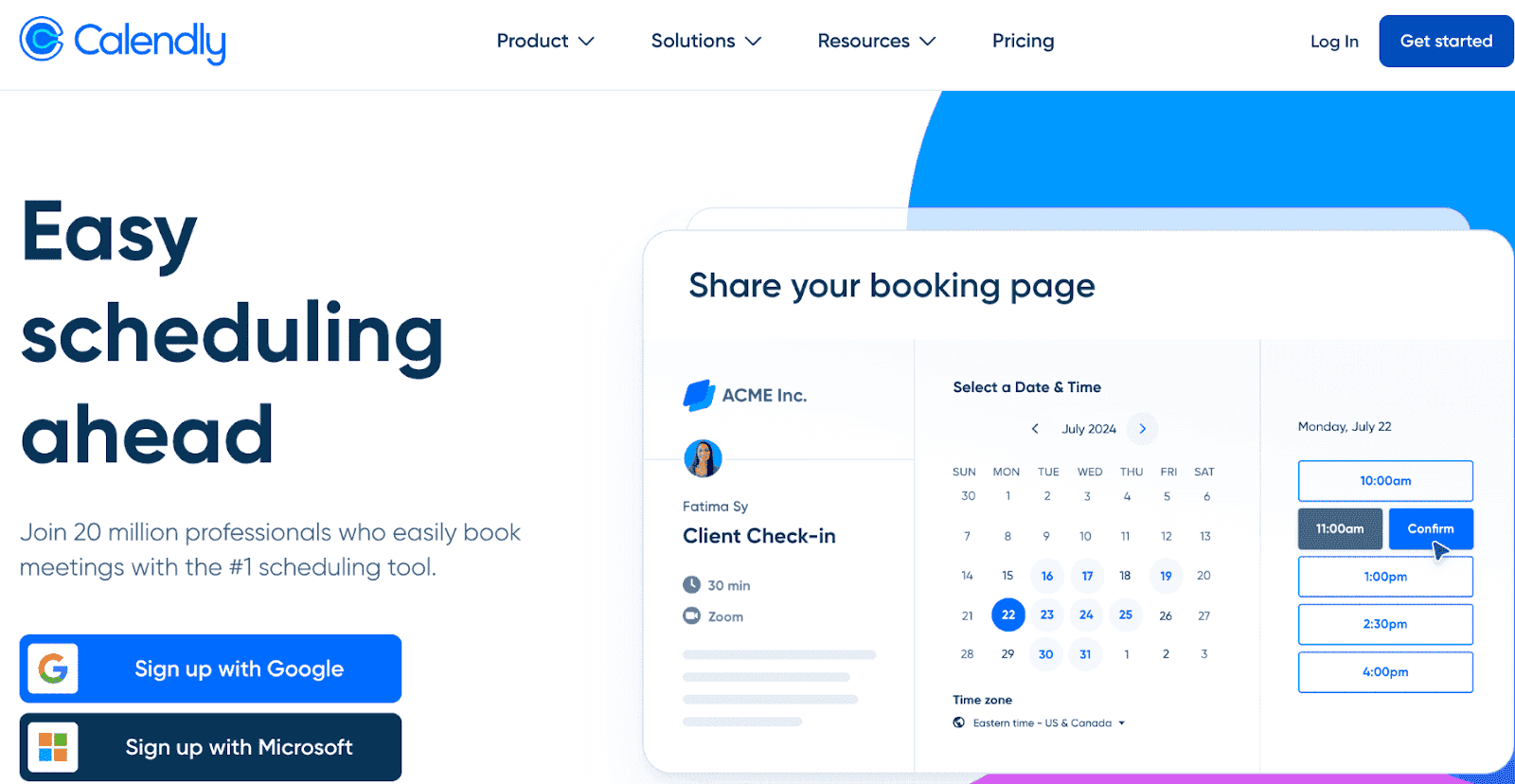
Calendly is not the most feature-rich option on the market, but it’s been around the longest and has built a solid brand. The interface is clean and intuitive for both you and your clients.
After signing up, Calendly walks you through connecting your calendar, setting your availability, and creating your first event type. Within minutes, you have a shareable booking link (something like calendly.com/yourname) people can use to book time with you. It checks your calendar for conflicts, handles time zones automatically, and sends confirmation emails.
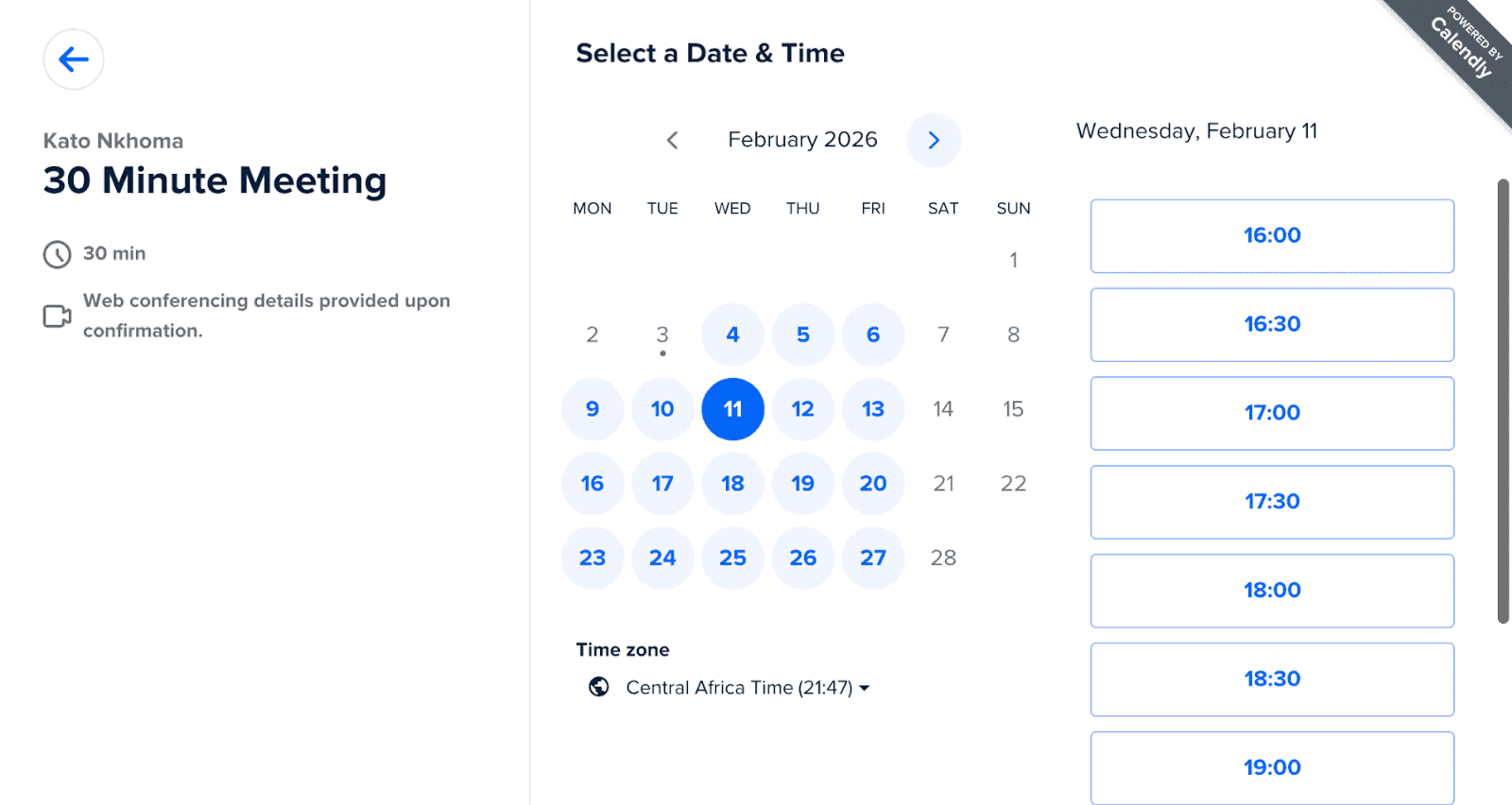
If you’re just starting out, Calendly’s free plan has a lot of features you can use. You get unlimited meetings, one calendar connection, and one event type active at a time. That's enough for freelancers, consultants, or anyone who just needs a simple "schedule a call with me" link.
Once you need multiple event types active simultaneously (e.g., a 15-minute intro call and a 60-minute strategy session), you'll need to upgrade to the Standard plan for $10/month.
Key Features
- Calendar integrations with Google, Outlook, iCloud, and more
- Automated scheduling with reminders, confirmations, and workflows
- Team scheduling (round-robin, collective meetings, routing forms)
- Customizable scheduling links, booking pages, and event types
Calendly Pros
- Easy to set up
- Integrations with video conferencing, CRMs, and productivity tools
- Team features make coordinating group availability straightforward
- Clean, professional booking pages
Calendly Cons
- Customization options are limited compared to competitors
- Many power features (like Workflows and multiple calendar connections) require paid plans
- Can feel too basic for businesses with complex scheduling needs
- Payment processing requires paid plans and supports fewer gateways.
Calendly Pricing
- Free plan available with basic features
- Standard plan starts at $10/month
- Teams plan starts at $16/user/month
- Enterprise plans start at $15,000/year
Are you a Calendly user and looking to switch?
Check out our list of the best Calendly alternatives and take your pick.
Doodle Pricing, Features, Pros, and Cons

Doodle takes a different approach from most scheduling tools. Instead of focusing on one-on-one booking links, it’s built around group polling. You create a poll with multiple time options, send it to participants, and let them vote on what works. The most popular time wins.
Getting started is simple. You can create a poll in seconds and share it via a link. Participants don’t even need a Doodle account to respond. That makes it especially useful for coordinating across large groups, external partners, or casual events where you want the lowest possible friction.

That said, Doodle isn’t designed for deep automation or advanced workflows. If you need CRM integrations, routing forms, or highly branded booking pages, tools like Cal.com offer more flexibility and control.
If your main challenge is finding a common time across multiple busy people, Doodle does that well.
Key Features
- Poll-based scheduling with multiple time options
- Visibility into participant availability
- No account required for participants
- Calendar integrations (Google, Outlook, Office 365, iCal)
- Basic notifications and reminders
Doodle Pros
- Extremely easy to use
- Ideal for coordinating large or informal groups
- Low learning curve for non-technical users
- Affordable entry pricing
Doodle Cons
- Limited automation compared to business-focused schedulers
- No native CRM integrations
- Fewer customization and branding options
- Not ideal for complex one-on-one scheduling workflows
Doodle Pricing
- Free plan available (includes ads and limitations)
- Pro plan starts at $6.95/month per user
- Team plan starts at $8.95/month per user
- Enterprise pricing available upon request
Calendly vs. Doodle: Comparing Key Features
User Experience and Setup
Calendly is built for polished, professional booking. Setup is guided and fast. You connect your calendar, set availability, create an event type, and share your link. Clients pick a time, confirm details, and the system handles time zones and notifications automatically.
Doodle is even simpler. You create a poll, add time options, and send the link. Participants vote without needing an account. It’s lightweight and frictionless, especially for large or informal groups.
Winner: Calendly for structured professional scheduling; Doodle for ultra-simple group coordination.
Calendar Integration and Syncing
Calendly integrates with Google Calendar, Outlook, Office 365, and Exchange. It automatically checks for conflicts, manages multiple calendars, and handles complex time zones smoothly.
Doodle also syncs with Google Calendar, Outlook, Office 365, and iCal. Participants can see their existing commitments while voting, which reduces double-booking.
Winner: Calendly for advanced multi-calendar and time zone handling; Doodle for straightforward syncing.
Automation and Workflows
Calendly offers automated confirmations, reminders, follow-ups, routing forms, and integrations with CRMs and payment tools. It’s designed to reduce manual admin work for sales teams, recruiters, and consultants.
Doodle keeps automation minimal. You get notifications, reminders, and poll updates, but not advanced workflow triggers or CRM syncing.
Winner: Calendly for automation depth; Doodle for simplicity.
Group Scheduling
Doodle’s core strength is group polling. It eliminates endless email chains by letting participants vote on availability. Visibility into responses encourages collaboration and transparency.
Calendly supports group events and team scheduling features like round-robin distribution, but it’s primarily optimized for structured booking rather than consensus voting.
Winner: Doodle for large group coordination; Calendly for managed team scheduling.
Customization and Branding
Calendly allows logo uploads, color changes, custom event types, and branded booking pages. It looks clean and professional but stays within a defined template structure.
Doodle offers basic customization on paid plans but focuses more on function than brand presentation.
Winner: Calendly for professional branding.
Integrations and Ecosystem
Calendly connects with CRMs, video conferencing tools, Slack, Zapier, and payment processors like Stripe and PayPal. It’s designed to plug directly into business workflows.
Doodle integrates with calendars, Zoom, Google Meet, Slack, and Zapier, but lacks native CRM or advanced marketing integrations.
If you need even deeper flexibility, developer control, or self-hosting, platforms like Cal.com offer an open, extensible infrastructure built for modern teams.
Winner: Calendly for business integrations; Doodle for essential scheduling integrations.
Can't decide? There's a third (better) option: Cal.com
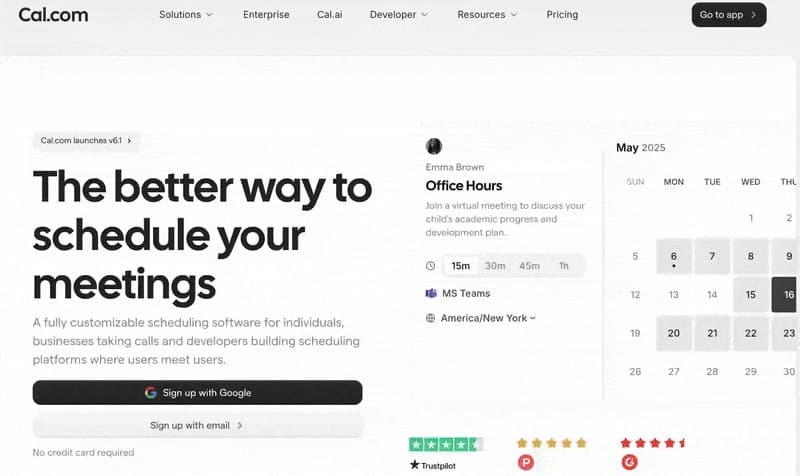
Cal.com is a dedicated appointment scheduling app and online booking system built for individuals, teams, and businesses that need powerful scheduling without compromise. It’s built for serious booking automation, especially for brands that rely on a smooth booking workflow to drive growth.
Key Features
- Unlimited bookings: Take as many appointments as you need, even on the free plan. There are no artificial caps that force you to upgrade as your business grows.
- Smart routing: Cal.com’s routing forms collect customer information automatically and direct clients to the right team member.
- Custom booking links: Create branded, shareable booking links for individuals, teams, or specific services.
- Workflow automation: Easily automate confirmations, reminders, and follow-ups. Customize every message to match your brand voice and reduce no-shows with no manual work.
- Calendar sync: Fully integrates with Google Calendar, Outlook, Apple Calendar, and more. This makes double booking impossible. Changes sync instantly across all platforms.
- Automated reminders: Cut down no shows, boost attendance, and ensure optimal use of your time.
- Team scheduling: Distribute tasks evenly across your team using the round-robin feature. Alternatively, let clients choose their preferred person.
- Customizable booking pages: Fully branded booking pages with your logo, colors, and messaging to create a polished, professional experience
- Time-based rules: Add buffers between appointments to avoid overlapping or to give yourself breathing space.
- Multi-location support: Manage bookings across multiple locations from a single dashboard. Each can have its own calendars and booking rules for smoother coordination.
- Multi-language support: Cal.com detects time zones and browser languages, making it ideal for multi-time-zone/multi-language meetings.
- App Store: Connect Cal.com to your other favorite tools via our app store. This helps enhance automations and efficiency.
Another unique feature is Cal AI.
This is an AI agent that turns simple scheduling into conversations. Cal AI can book meetings, send reminders, and follow up. And it does thisthrough natural phone calls that boost conversions, reduce no-shows, save time, and book demos.

Trusted by brands like Deel, Supabase, Framer, Ramp, Vercel, and many more, Cal.com has proven to be a powerhouse in the scheduling tool space.
Here’s what users are saying about Cal.com:
I love using Cal.com for my scheduling because it avoids any kind of back and forth between people I need to meet, and it just makes things so easy. With Cal.com, I save a bunch of time since I don't need to ask people for their time availabilities. My team can see all of my availability and when I'm not available through my Cal.com scheduler. It's super easy to set up and took no time. I love how beautiful it looks, making everything appear really sleek. This aesthetic aspect helps because it makes the person more likely to actually go and pick a time, especially clients for my business. — G2 user
Calendly vs. Doodle vs. Cal.com: Brief Comparison
| Feature / Factor | Cal.com | Calendly | Doodle |
| Best for | Individuals, teams, and businesses that need flexible, programmable scheduling | Solo entrepreneurs, small teams, simple scheduling needs | Teams and groups coordinating availability via polls |
| Ease of setup | Very fast (5–10 minutes) | Fast (10–20 minutes) | Extremely fast (minutes to create a poll) |
| Core focus | Customizable scheduling infrastructure and automation | Simple booking links and integrations | Group polling and consensus scheduling |
| Calendar integration | Google, Outlook, Apple, and more with full two-way sync | Google, Outlook, iCloud, etc. | Google, Outlook, Office 365, iCal |
| Scheduling options | Unlimited event types, routing forms, multi-location, team scheduling, API-first | Multiple event types, team scheduling on paid plans | Poll-based availability selection |
| Client experience | Fully branded pages, custom flows, multi-step routing | Clean, modern, straightforward booking pages | Simple poll interface; participants don’t need an account |
| Automation & reminders | Advanced workflows for confirmations, reminders, follow-ups, routing logic | Confirmations, reminders, basic workflows | Basic notifications and reminders |
| Payments | Integrated Stripe/PayPal plus custom payment flows | Available on paid plans; limited gateways | Stripe on paid plans |
| Team scheduling | Skill-based, round-robin, location-based, dynamic routing | Round-robin, collective meetings, routing forms | Via poll consensus (participants choose a common time) |
| Customization & branding | Deep customization, API access, custom domains and email | Basic branding (logo, colors, simple fields) | Limited branding options |
| Client management | CRM integrations and extendable via API | Basic attendee info only | Not designed for client profiles |
| Pricing model | Free individual tier; paid plans for teams and advanced features | Free tier; per‑user paid tiers | Free plan with ads; paid plans remove ads/unlock more features |
| Stand-out strength | Unlimited flexibility and scalable, advanced automation | Simple setup with strong integrations | Fast group scheduling with minimal friction |
Final Verdict: Calendly vs. Doodle vs. Cal.com
If you’re choosing between simplicity and flexibility, here’s the bottom line:
Doodle is excellent for quick group polls.
Calendly is great for polished one-on-one booking links and business-friendly integrations.
But for most modern teams, Cal.com offers the best of both worlds.
With Cal.com, you get:
- Unlimited bookings (including on the free plan)
- Advanced routing and automation
- Deep customization and branded booking flows
- Team scheduling with round-robin and skill-based routing
- Multi-location and multi-time zone support
- Open API and extensibility
Whether you're coordinating internal teams, booking client calls, or building scheduling directly into your product, Cal.com scales with you without locking you into rigid workflows.
Ready to simplify scheduling without limits? Start with Cal.com’s free plan today.
And if you’re shifting from Calendly to Cal.com, we can take over your remaining licence. Sound interesting?
Frequently Asked Questions
Is Calendly or Doodle easier to set up?
Doodle is the fastest if you just need to create a poll. Calendly takes slightly longer but walks you through connecting your calendar and creating structured booking pages. Cal.com matches Calendly’s setup speed while offering more flexibility from the start.
Can I migrate from Calendly or Doodle to Cal.com?
Yes. Cal.com provides documentation and migration guidance to help you move event types, availability settings, and team configurations. Plus, when you move from Calendly, we cover your remaining licence.
Does Cal.com support group scheduling like Doodle?
Yes. Cal.com supports collective meetings, round-robin scheduling, and advanced routing. While it doesn’t rely on poll-style voting as its core system, it provides structured group scheduling built for professional teams.
Does Cal.com integrate with my existing tools?
Cal.com integrates with Google Calendar, Outlook, Zoom, Microsoft Teams, Stripe, Salesforce, HubSpot, and many more. Its open API allows custom integrations, giving you more flexibility than either Calendly or Doodle.